 Cookie Dough
Find the banner.
It recognises supported consent tools and looks for clear cookie choices, including many banners that appear after a page loads.
A little less clicking
Cookie Dough takes care of supported cookie banners in Chrome, so you can get on with browsing.
Reject first. Your fallback, your choice.
If no usable free refusal is found, acceptance fallback is on by default and may allow tracking cookies. Switch it off in Settings for strict rejection.
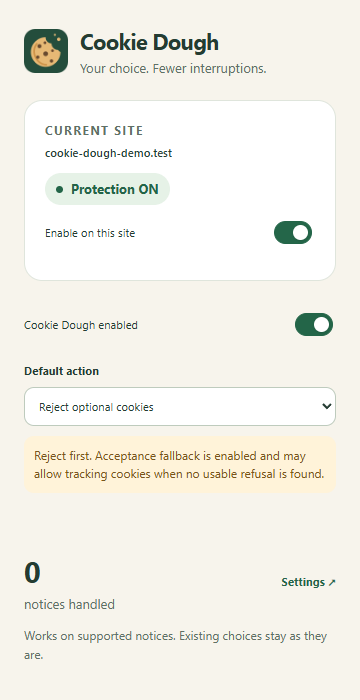
Cookie Dough works in the background on enabled websites. Its job is simple: handle supported consent banners using your chosen preference.
It recognises supported consent tools and looks for clear cookie choices, including many banners that appear after a page loads.
By default, it looks for a way to reject optional cookies. On supported preference panels, it can switch optional categories off and save the choice.
When no usable free refusal is found, the default fallback accepts instead. Turn it off to leave unresolved banners for you to handle. Uncertain or failed rejection controls stay visible.
You stay in control
Local by design
Cookie Dough reads consent interfaces locally. The extension has no account system, analytics or reporting service, and does not send webpage contents or extension data to us.
How Cookie Dough handles dataNo. Coverage varies by website, region, language and consent-tool configuration. Some banners still need manual action, and uncertain interfaces may be left untouched.
No. Cookie Dough handles consent controls. It does not block trackers, delete existing cookies or undo earlier consent, and it cannot guarantee that a website honours your choices. Acceptance can allow optional cookies and tracking.
It needs to read consent interfaces and operate their controls on websites you visit, including supported consent frames. That processing happens locally. The website may then store or transmit the resulting choice under its own policies, just as when you click the control yourself.